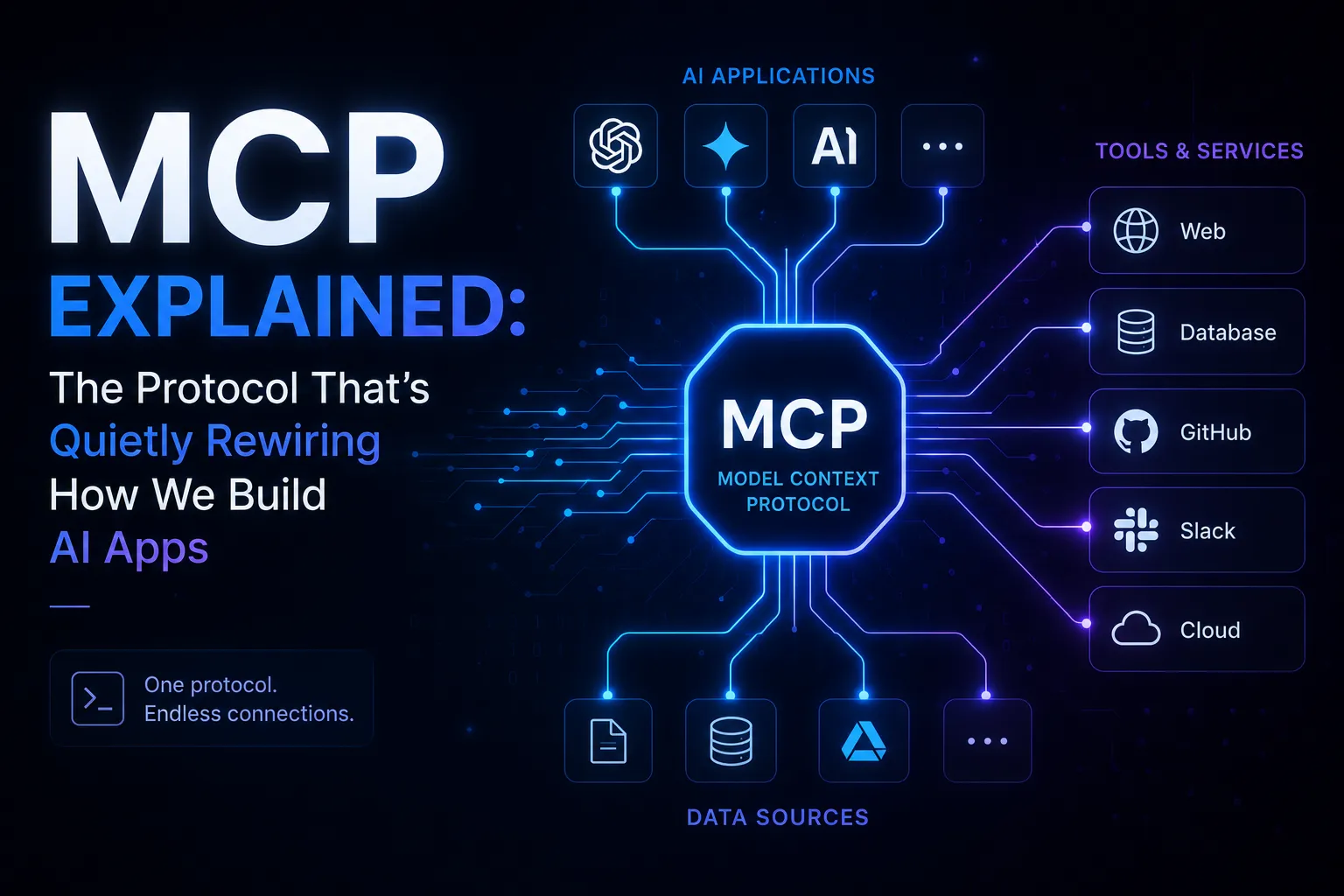
Six months ago I kept seeing 'MCP' pop up in every AI tool changelog. Cursor added MCP support. Claude Desktop added MCP support. Windsurf, Zed, VS Code extensions — all MCP. I ignored it for weeks because the name sounds like enterprise middleware from 2008. Then I actually read the spec and built something with it. Now I can't imagine building AI integrations any other way.
TL;DR — MCP (Model Context Protocol) is a standard interface that lets LLMs call external tools and APIs without custom glue code for each integration. It is to LLM tooling what REST was to web APIs.
MCP (Model Context Protocol) is an open standard by Anthropic that defines how LLMs connect to external tools, data sources, and services — in a way any host application can understand, regardless of which model you're using.
The Problem MCP Actually Solves
Before MCP, every AI integration was a one-off. You wanted your LLM to query a database? You wrote custom tool-calling code. You wanted it to read files? More custom code. You wanted to reuse that file-reader across Claude Desktop, your VS Code extension, and your custom app? Rewrite it three times with three different APIs.
This is the same problem REST solved for web APIs. Before REST, every server had its own custom protocol. REST gave us a standard so any client could talk to any server. MCP does the same thing for AI tool use.
- Write a tool once as an MCP server — any MCP-compatible host (Claude Desktop, Cursor, your app) can use it immediately
- No more copy-pasting tool definitions between projects
- The host manages the connection lifecycle; you just define what your tools do
- Works across models — not locked to Claude, works with any LLM that supports tool use
The Three Concepts You Need to Understand
MCP has a deceptively simple mental model once you see it. There are three moving parts:
1. The Host
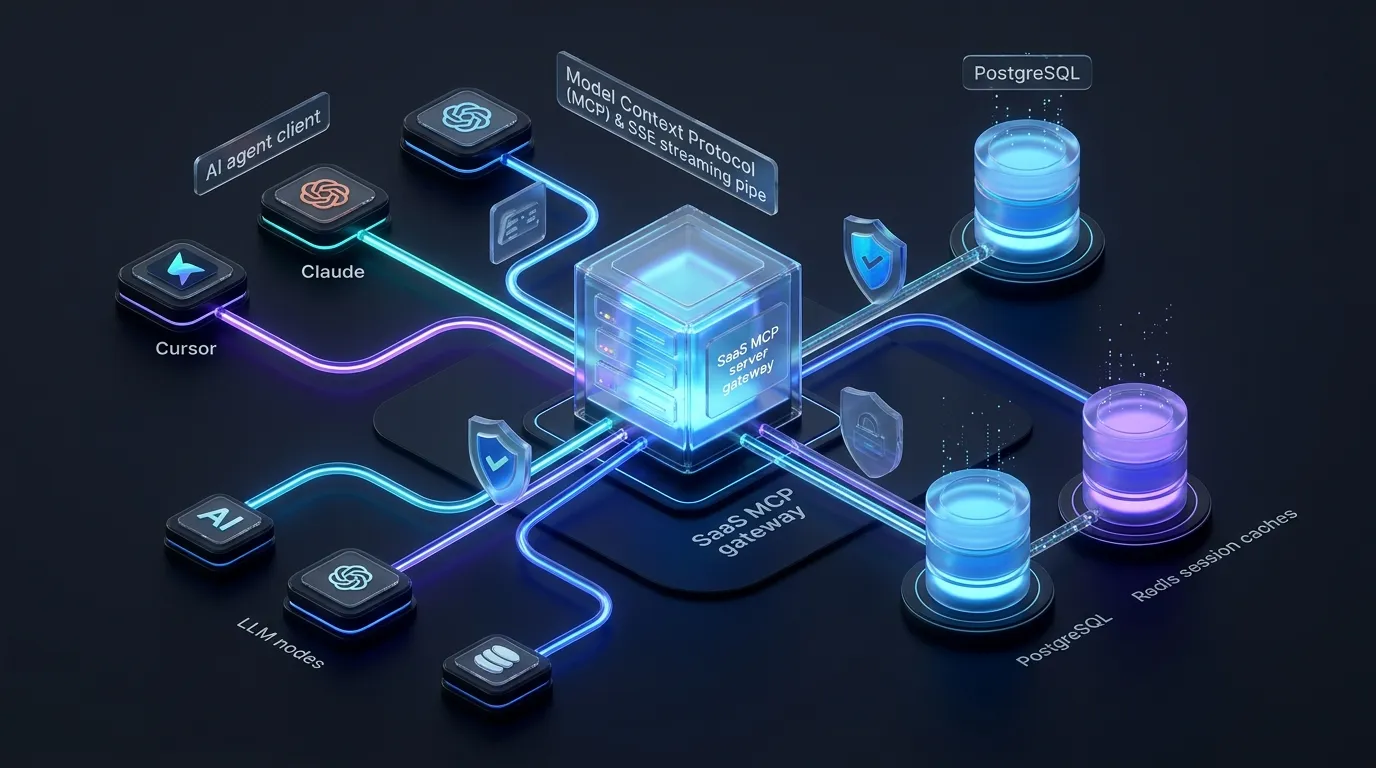
The host is the application the user actually interacts with — Claude Desktop, Cursor, your custom chat app. The host manages the LLM and decides when to call tools. It speaks MCP to your servers and translates the results back into model messages. You usually don't build the host; you build servers that plug into existing hosts.
2. The MCP Server
This is what you build. An MCP server exposes three types of things: Tools (functions the LLM can call), Resources (data the LLM can read, like files or DB records), and Prompts (reusable prompt templates). You write the server; the host decides when to invoke it.
3. The Transport
MCP supports two transports: stdio (the server runs as a subprocess, communicates over stdin/stdout — great for local tools) and SSE/HTTP (the server runs as a web service — better for shared or remote tools). For most developer tools, stdio is the default and the easiest to get started with.
Building Your First MCP Server in TypeScript
Let's build something real: an MCP server that lets your AI assistant query your PostgreSQL database in plain English. You'd be shocked how useful this is when debugging production issues.
Step 1: Install the SDK
npm install @modelcontextprotocol/sdk zod
npm install -D typescript @types/node
Step 2: Define Your Server
import { McpServer } from "@modelcontextprotocol/sdk/server/mcp.js"
import { StdioServerTransport } from "@modelcontextprotocol/sdk/server/stdio.js"
import { z } from "zod"
import { Pool } from "pg"

const pool = new Pool({ connectionString: process.env.DATABASE_URL })

const server = new McpServer({
  name: "postgres-explorer",
  version: "1.0.0",
})

// Tool: run a read-only SQL query
server.tool(
  "query_database",
  "Run a read-only SQL query against the production database",
  {
    sql: z.string().describe("The SELECT query to run"),
  },
  async ({ sql }) => {
    // Safety: only allow SELECT statements
    if (!sql.trim().toUpperCase().startsWith("SELECT")) {
      return { content: [{ type: "text", text: "Only SELECT queries are allowed." }] }
    }
    const result = await pool.query(sql)
    return {
      content: [
        {
          type: "text",
          text: JSON.stringify(result.rows, null, 2),
        },
      ],
    }
  }
)

// Resource: expose table schema so the LLM knows what columns exist
server.resource(
  "database_schema",
  "postgres://schema",
  async () => {
    const result = await pool.query(`
      SELECT table_name, column_name, data_type
      FROM information_schema.columns
      WHERE table_schema = 'public'
      ORDER BY table_name, ordinal_position
    `)
    return {
      contents: [
        {
          uri: "postgres://schema",
          mimeType: "application/json",
          text: JSON.stringify(result.rows, null, 2),
        },
      ],
    }
  }
)

const transport = new StdioServerTransport()
await server.connect(transport)
Step 3: Wire It Into Claude Desktop
Add the server to your Claude Desktop config at ~/Library/Application Support/Claude/claude_desktop_config.json (macOS) or %APPDATA%/Claude/claude_desktop_config.json (Windows):
{
  "mcpServers": {
    "postgres-explorer": {
      "command": "node",
      "args": ["/path/to/your/dist/index.js"],
      "env": {
        "DATABASE_URL": "postgresql://user:pass@localhost:5432/mydb"
      }
    }
  }
}
Restart Claude Desktop and you'll see a new tool icon in the chat interface. You can now ask 'How many users signed up last week?' and Claude will write and run the SQL query against your actual database.
Tools vs Resources vs Prompts — When to Use What
This is where most MCP tutorials fall short. They show you how to define a tool but don't explain the design choices.
Use Tools for actions
Tools are for things that DO something — querying a DB, calling an API, writing a file, sending a message. The LLM decides when to call them based on the conversation. Tools have inputs (Zod schema) and return a result. Think of them as the POST/PUT endpoints of your MCP server.
Use Resources for context
Resources are data sources the LLM can read to get context — your codebase, a config file, a knowledge base. Unlike tools, resources are read-only and addressable by a URI. The host can include them automatically in the context window without the LLM having to explicitly ask. Think of them as the GET endpoints.
Use Prompts for reusable workflows
Prompts are pre-written prompt templates that can accept arguments. If you always start debugging sessions the same way ('Here is the error, here is the relevant code, here are the recent git commits — now diagnose'), encode that as a Prompt so any host can invoke it consistently.
Production Patterns I've Learned the Hard Way
Always validate inputs with Zod
The LLM will pass arguments to your tools. Those arguments come from natural language inference, which means they might be wrong, missing, or in an unexpected format. Zod gives you runtime validation and automatically generates the JSON schema MCP needs — use it for every tool parameter, no exceptions.
Return structured errors, not exceptions
// Bad — unhandled exceptions crash the server
server.tool("fetch_user", { id: z.string() }, async ({ id }) => {
  const user = await db.users.findById(id) // throws if not found
  return { content: [{ type: "text", text: JSON.stringify(user) }] }
})

// Good — the LLM can understand and recover from this
server.tool("fetch_user", { id: z.string() }, async ({ id }) => {
  try {
    const user = await db.users.findById(id)
    if (!user) {
      return { content: [{ type: "text", text: `No user found with id ${id}` }], isError: true }
    }
    return { content: [{ type: "text", text: JSON.stringify(user) }] }
  } catch (err) {
    return { content: [{ type: "text", text: `Database error: ${(err as Error).message}` }], isError: true }
  }
})
Write tool descriptions like you're writing prompts
The tool name and description are what the LLM uses to decide whether and when to call your tool. Vague descriptions lead to wrong invocations. Be specific about what the tool does, what it returns, and when it should be used vs a similar tool. This is prompt engineering, not documentation.
Scope your tools narrowly
The temptation is to build one mega-tool that does everything. Resist it. Narrow, well-named tools give the LLM more control and make errors easier to diagnose. 'get_user_by_email' and 'get_user_by_id' are better than 'get_user' with a mode parameter.
MCP vs Direct Tool Calling — Which Should You Use?
If you're building a custom app and fully control the stack, direct tool calling via the Anthropic SDK might be simpler — you define tools inline and handle results yourself. MCP makes sense when:
- You want the same tools accessible from multiple hosts (Claude Desktop, Cursor, your app)
- You're building a tool that others on your team or community will use
- You want to run tools as a separate process with its own dependencies and lifecycle
- You need tools that persist across conversations (resources with subscriptions)
- You're building a platform where end users configure their own tool connections
Rule of thumb: use direct tool calling for app-specific logic, MCP for reusable infrastructure. Build your DB query tool as MCP so every AI tool on your machine can use it — not just one app.
The Ecosystem Is Moving Fast
As of mid-2026, MCP support has landed in Claude Desktop, Cursor, Windsurf, Zed, Continue, and a growing list of enterprise tools. Anthropic maintains an official registry of community MCP servers at modelcontextprotocol.io — there are already servers for GitHub, Slack, Linear, Notion, Postgres, Puppeteer, and dozens more. Before building your own, check if one already exists.
The SDK is available in TypeScript and Python, with community-maintained packages for Go, Rust, and Java. The TypeScript SDK is the most mature — use it unless you have a strong reason not to.
What to Build Next
If you want to explore MCP beyond the basics, here are three projects that will level up your understanding fast:
- 01Build an MCP server for your internal wiki or Notion workspace — you'll immediately see the value of Resources and how context injection changes the quality of AI responses
- 02Build a multi-tool server that wraps your entire local dev environment (run tests, check git status, read logs) — this is the fastest way to understand tool composition
- 03Build an HTTP-transport MCP server and deploy it to a VPS — this teaches you the auth patterns (OAuth, API keys) and how to share servers across your team
MCP isn't magic. It's a well-designed protocol that solves a real coordination problem between LLMs and the systems they need to interact with. The developers who understand it now will have a significant edge as AI tooling becomes the default workflow for our industry.
Need an AI engineer for your project? I build RAG systems, LLM integrations, AI agents, and SaaS backends. Reach me at prayagbagthariya.vercel.app/hire-me or prayag129787@gmail.com.
Frequently Asked Questions
What is MCP (Model Context Protocol)?
MCP is an open standard created by Anthropic that defines how LLMs connect to external tools, data sources, and services. It lets you build tool servers once and use them across any MCP-compatible AI host — like Claude Desktop, Cursor, or your own app — without rewriting integration code for each one.
Is MCP only for Claude / Anthropic models?
No. MCP is a model-agnostic open protocol. While Anthropic created it, any LLM that supports tool use can work with MCP servers. Cursor and other editors that support multiple models already use MCP across different underlying LLMs.
What's the difference between MCP Tools, Resources, and Prompts?
Tools are callable functions the LLM invokes to take action (query DB, call API). Resources are read-only data sources the model reads for context (files, schemas, docs). Prompts are reusable prompt templates with arguments for consistent workflows. In practice, Tools are what you'll build most often.
Do I need to know Rust or a systems language to build MCP servers?
No. Anthropic provides official SDKs for TypeScript and Python, which are the most commonly used languages for building MCP servers. The TypeScript SDK is the most mature and has the best documentation as of 2026.
How is MCP different from just using tool_use in the Anthropic API directly?
Direct tool_use via the API is app-specific — you define tools inline in your code and handle them yourself. MCP turns those tools into a standalone server that any host application can connect to. The tradeoff: more setup with MCP, but you write the tool once and every AI tool on your machine (or team's machines) can use it immediately.
Continue reading
Get updates directly in your Google Search feed
Add this publication as a preferred source to highlight articles in Top Stories and AI Overviews.